All the power of the Virtual Office, now in the app
The IDBCONNECT Mobile App by IDB360 brings to the phone the full structure available in the Virtual Office — network, growth, customers, sales, orders, wallet, content, communication and the features enabled for each company. Explore the IDBCONNECT plans.

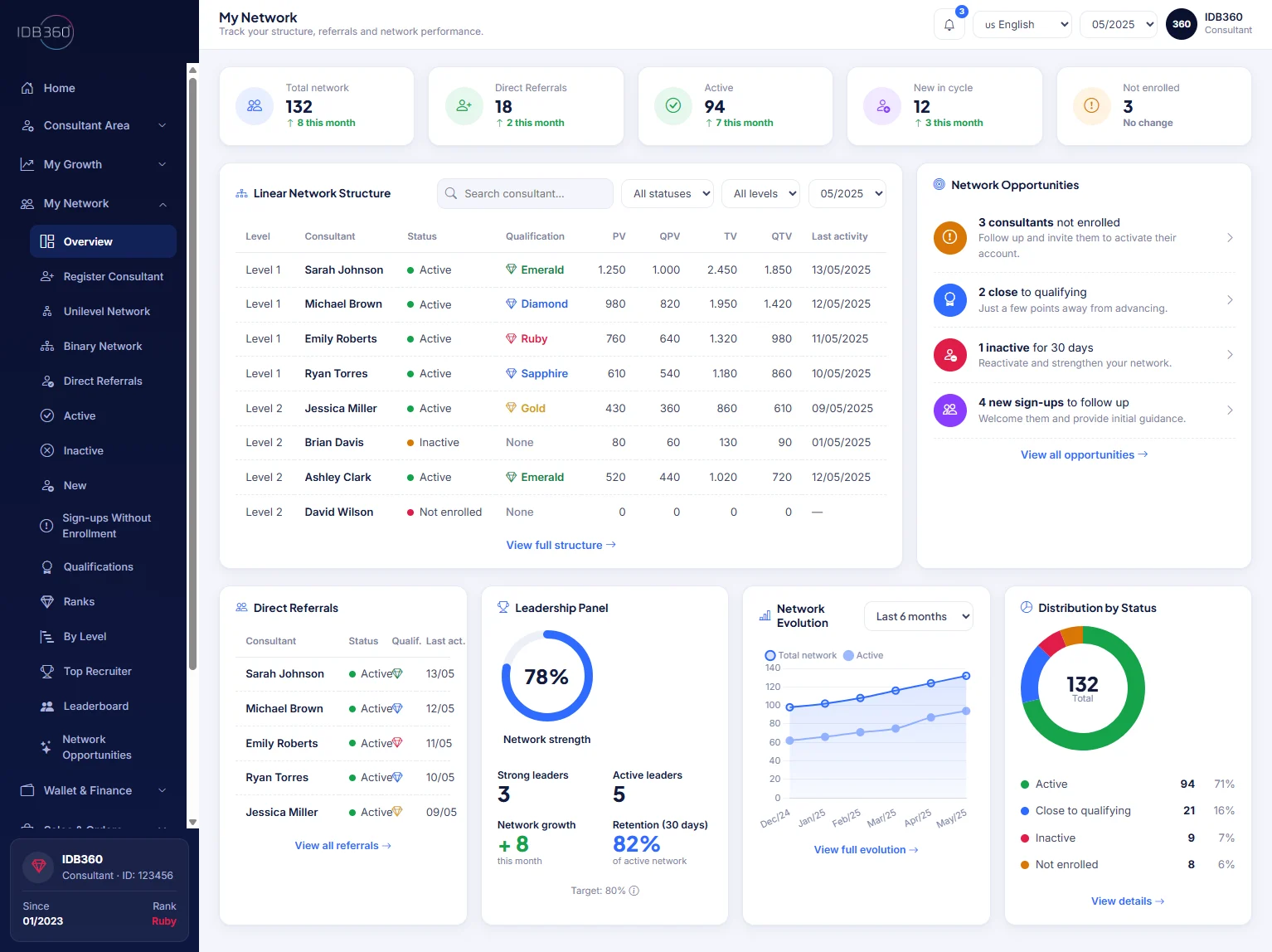
A single structure, accessible on the web and on the phone
The Virtual Office and the app are two faces of the same environment. The company configures the structure in IDBCONNECT and the network accesses it in any context — they are not separate systems, nor a reduced version on the phone.
The entire operational journey, in the palm of your hand
From tracking results to commercial execution, the navigation brings together the real domains of the consultant's activity.


From insight to action, in a natural sequence
Understand
Reading performance opens the day: overview, indicators, goals and campaigns for the cycle.
Prioritize
What to do first becomes clear: qualification, next objective, action plan and growth simulator.
Execute
Commercial activity happens in the field: customers, leads, follow-ups, sales, orders and wallet.
Expand
The cycle renews with outreach and network development — content, sharing and Social Selling.
Growth and network, with operational depth
Visible progress
Indicators, goals, tracking and operational history make performance legible in every cycle.
Next objective
Qualification, next qualification and graduation guide the effort, with an action plan and a simulator to project the steps.
Growing the organization
Structure, direct referrals, search and filters reveal how the network is evolving and where to act.
Commercial activity in a single flow
Engage, sell, track, transact and share again — the complete commercial routine happens straight from the phone.
Customers, leads, follow-ups, repurchase and referrals.
New order, products, kits, vouchers and recent orders.
Balances, bonuses, credits, statements, receipts and withdrawals.
Links, QR codes, materials and campaigns for new opportunities.
Account and service under the participant's control
The network keeps its own account in order and resolves pending items without leaving the phone — from registration to support.
Configurable per company, ready for global scale
Its own identity
The app reflects each company's brand.
Configurable structure
What each company enables in IDBCONNECT applies to mobile access.
Global operation
A base prepared for different commercial models and distributed scale.
Two experiences of the same operational structure
The Mobile App and the Virtual Office are not separate systems: the company configures the operation once in IDBCONNECT, and the network accesses it on the web and on the phone.
The full Virtual Office operation, in the app too
A single structure, accessible on the web and on the phone, configured for the identity, modules and journey of each company.